
Training Management
Run better training. With less chaos.
Training should feel organized before it starts, clear while it is happening, and useful after it ends.
Training Management gives coaches one structured system for planning sessions, managing the training day, running matches and practices, and keeping everything connected. Instead of relying on spreadsheets, scattered notes, and last-minute decisions, you work from one clear flow.
That means less time organizing, less confusion during the day, and more time focused on players and coaching.
> Less time organizing — more time coaching.
Why coaches move to structured training
Most training environments run into the same problems:
- sessions are planned too late
- training blocks feel disconnected from one another
- matches and training sessions live in different tools
- important work is not tracked clearly
- coaches spend too much time coordinating instead of coaching
At first, this may seem manageable. Over time, it creates bigger issues:
- player development becomes inconsistent
- workload is harder to manage
- useful patterns are missed
- planning becomes reactive
- progress is harder to review and improve
Training Management changes that.
It gives you a structure where:
- every session is planned
- every activity has context
- the week is easier to understand
- training and matches stay in one system
- day-to-day work supports long-term development
This is what turns separate sessions into a real coaching process.
Everything you need to run training in one place
Training Management helps you stay in control before, during, and after each session.
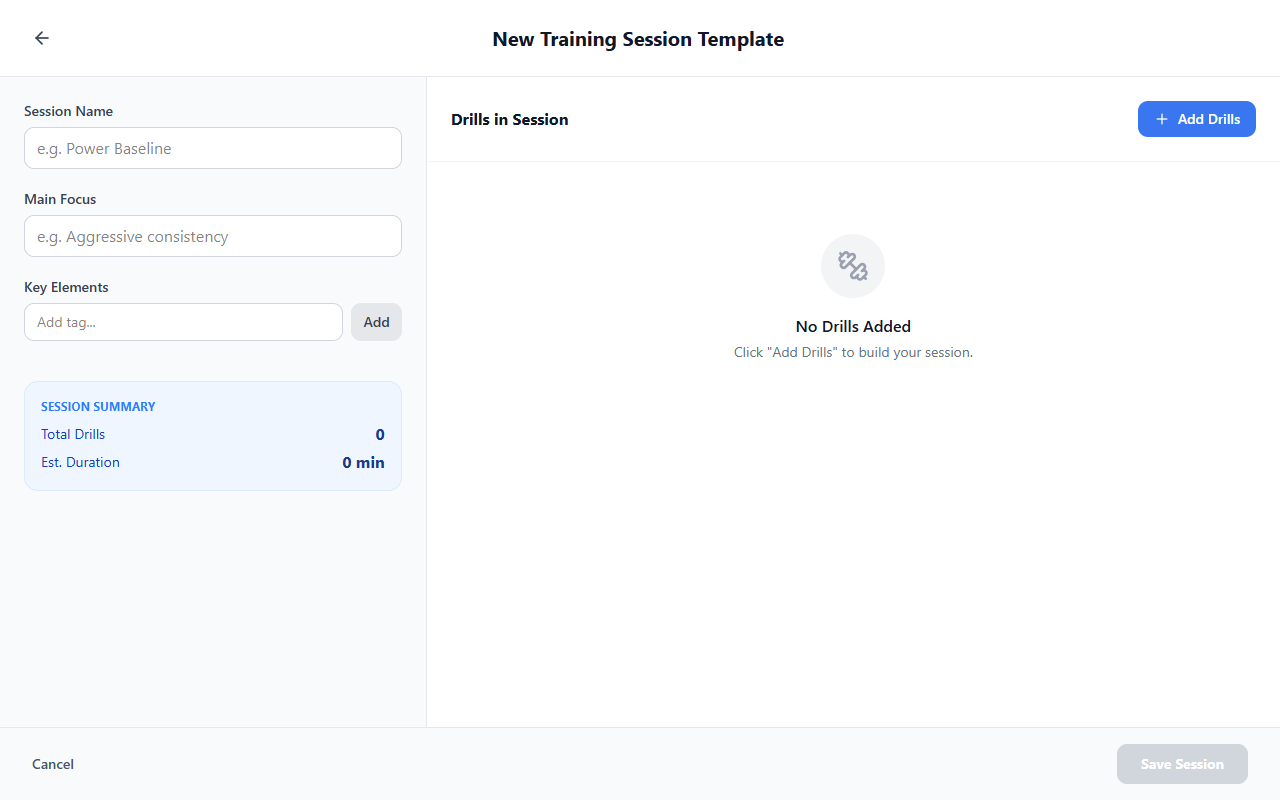
Plan sessions with intention, not improvisation
Create structured training sessions in minutes instead of rebuilding the same ideas every time.
With a clear planning flow, you can:
- define the goal of the session
- set the focus of the work
- choose time and location
- make sure the session is ready before players step on court
This helps coaches start training with a clear plan instead of improvising under time pressure.
Deep dives: Training sessions (session templates), Schedule a Training Session (from Today), and Drills Collection / Create New Drill for what you attach to sessions.
See your week and day at a glance
A good training process depends on visibility.
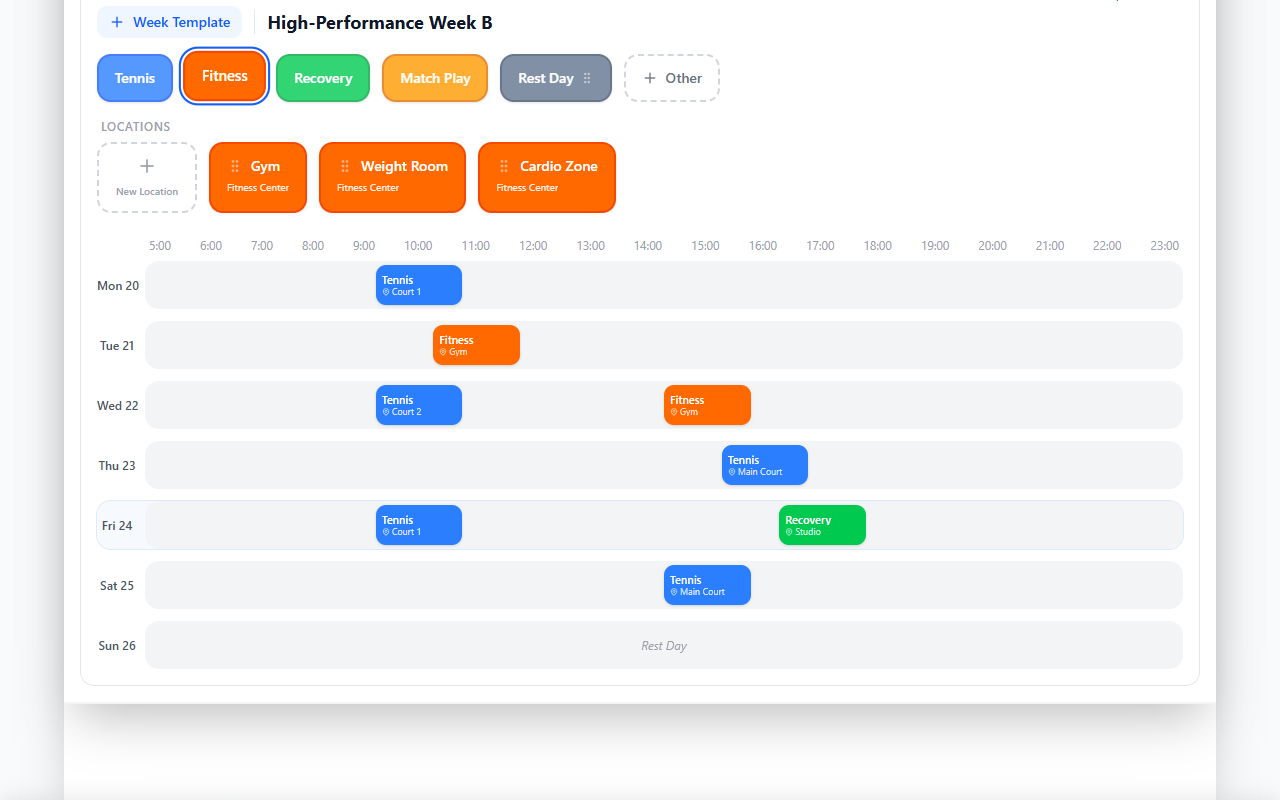
Training Management gives you clear daily and weekly views so you can understand what is coming next, what is already planned, and how the training load is shaping up.
This helps you:
- see sessions and matches in one timeline
- understand the rhythm of the week
- avoid overload and scheduling gaps
- keep the full training process readable
Instead of reacting one day at a time, you can work with a broader view of preparation.
For the full-screen weekly editor, see Development Plans; for the day timeline, see Today.
Run sessions with clarity and control
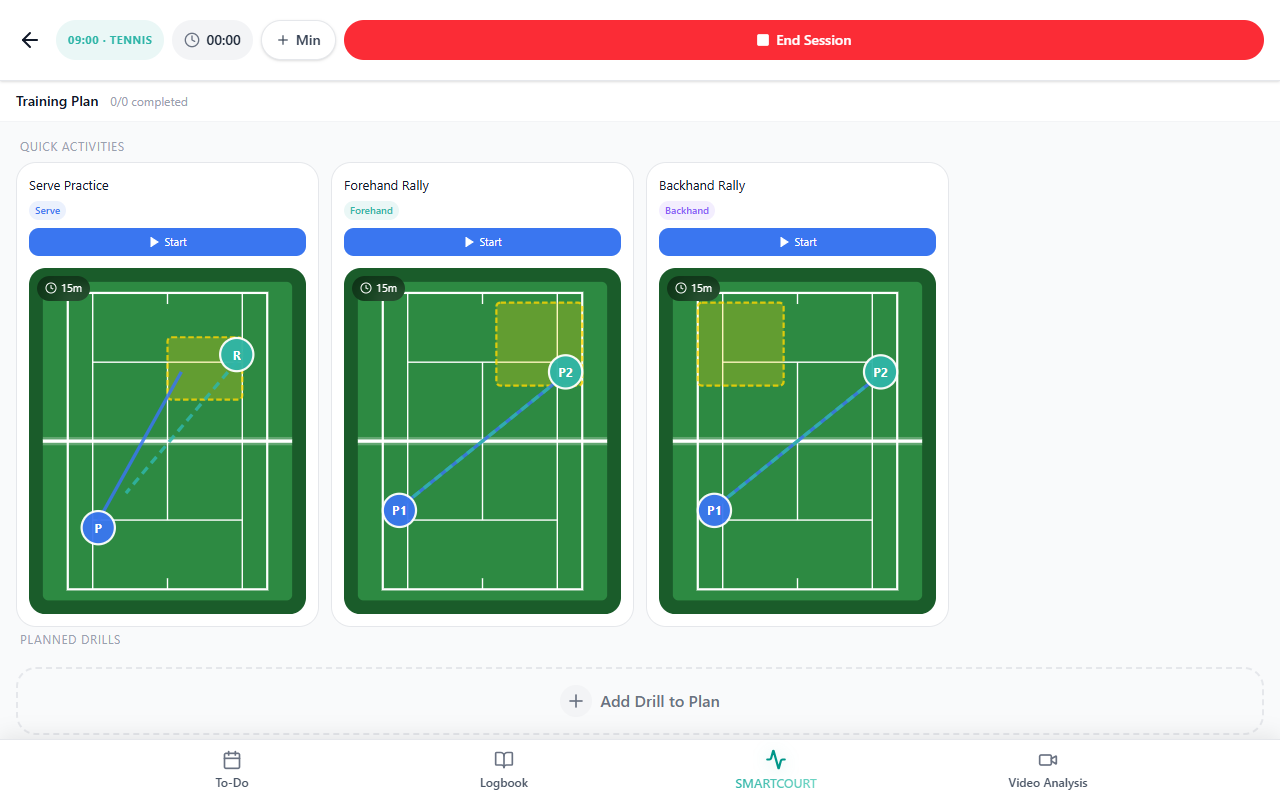
When training starts, the session should already be ready.
Training Management helps you move into execution with less friction. Instead of searching for drills, re-explaining the structure, or trying to remember the plan, you can work from a prepared session flow.
This helps coaches:
- stay focused during training
- follow the planned structure
- reduce distractions and on-court chaos
- keep the session aligned with its original purpose
The result is a smoother training experience for both coaches and athletes.
Step-by-step on the live session surface: Starting drills during a session (also reachable from Smart Court via Smart Court: Start New Session).
Manage matches the same way you manage training
Matches are part of development too, so they should not sit outside the training process.
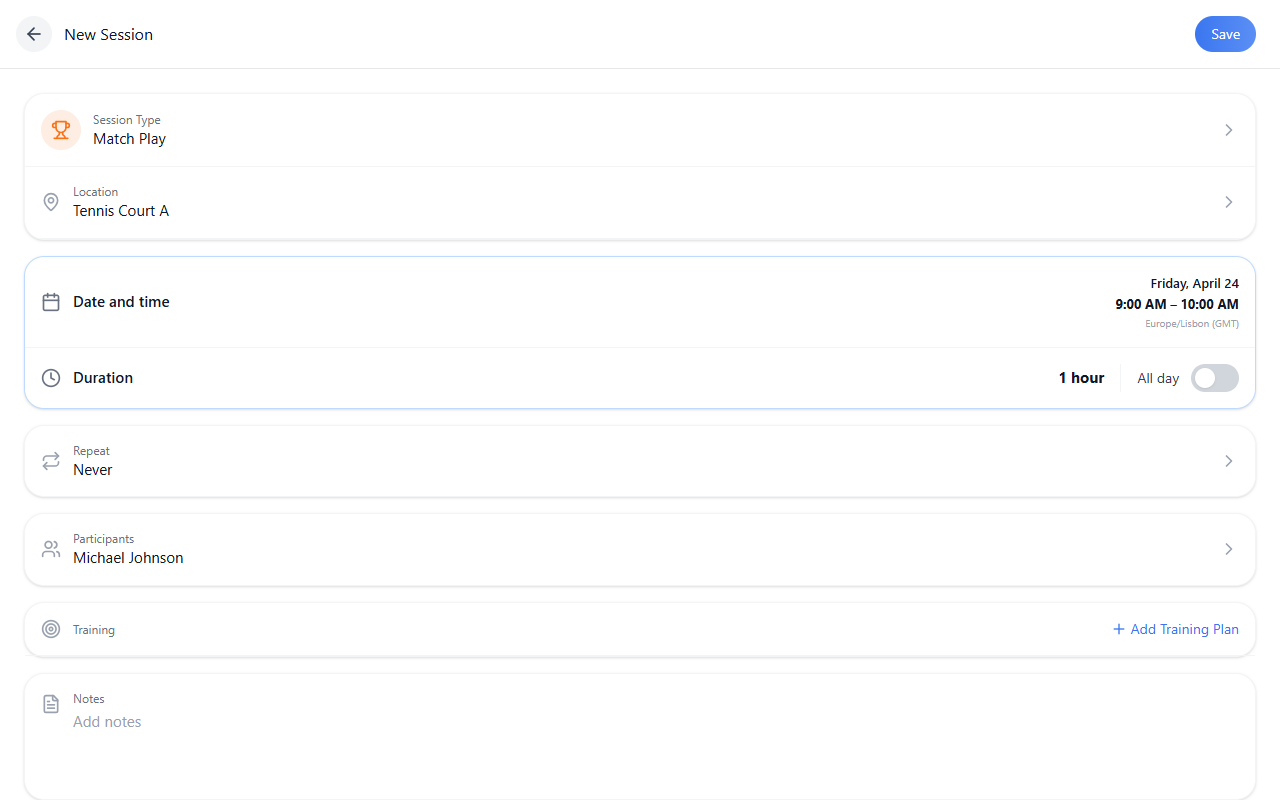
With Training Management, matches can be planned and organized inside the same system as training sessions. That means they stay connected to the athlete’s schedule, workload, and development context.
This helps you:
- schedule matches like sessions
- avoid separate tools and disconnected workflows
- keep match activity visible in the same planning system
- connect competition to the overall development process
Walkthrough: Schedule a match from Today.
From random sessions to a structured development system
This is where consistent progress begins.
Training Management helps coaches move from isolated sessions to a repeatable coaching loop:
Plan → Prepare → Run → Analyze → Improve
Here is how that maps in CoachEye:
| Stage | What you do in the product |
|---|---|
| Plan | Schedule sessions and matches on Today and in Development Plans |
| Prepare | Structure training before it begins — Training sessions, Training Hub, Schedule a Training Session |
| Run | Execute the session with clarity — Starting drills during a session, Smart Court |
| Analyze | Review what happened — Video Analysis, session history in Logbook |
| Improve | Adjust the next session based on feedback — plans, templates, and Analytics & Progress |
Instead of treating each session as a separate event, you create a continuous development process where every session informs the next one.
That is how better coaching compounds over time.
What changes for you
| Before | After |
|---|---|
| planning takes too long | every session has clearer structure |
| sessions feel disconnected | the training process is easier to see and follow |
| too much depends on memory or improvisation | sessions, matches, and planning stay connected |
| it is hard to see what was actually done | coaches spend less time organizing |
| the week feels harder to manage than it should | player development becomes more consistent |
Training Management does not just help you plan better. It helps you coach from a more stable system.
When the impact is biggest
Training Management becomes especially valuable when you:
- run multiple sessions every week
- work with groups or teams
- coach more than one athlete
- want a more consistent coaching process
- care about long-term development, not just isolated sessions
- need training and matches to stay connected in one workflow
The more moving parts your training environment has, the more valuable structure becomes.
Connected with the rest of CoachEye
Training Management is not a standalone feature. It is the operational core of the platform.
It connects directly to the rest of CoachEye:
- Drills Collection / Create New Drill → define what you run in sessions
- Training Hub → supports session execution and the drill library
- Video Analysis → helps you review what happened after training or matches
- Analytics & Progress → shows trends and progress over time
- Development Plans → connects individual sessions to longer-term growth
This means planning does not stop at the schedule. It flows into execution, review, and improvement.
Everything starts here — and everything connects back to it.
Start building structured training
Your next session does not need to be improvised.
With Training Management, you can build a coaching process that is clearer, more repeatable, and more effective — for individual athletes, groups, and long-term development alike.
Start with one session. Then build the system around it.
Related pages
- Training Hub — catalog, saved content, and hub tabs
- Today — daily timeline and composer
- Development Plans — weekly schedule
- Schedule a Training Session · Schedule a match
- Training sessions · Starting drills during a session
- Video Analysis · Analytics & Progress · Logbook